
This article is for all providers except for dentists caring for our members
Appeals Manager, our new eTool for reviewing and submitting appeals, is now available to participating medical providers via single sign-on through Provider Central!
Register for Provider Central today!
If you’re already registered with Provider Central and have access to Authorization Manager, you will have access to Appeals Manager.
If you’re not registered, you can go to bluecrossma.com/provider and click Register in the blue box on the left side of the homepage. For additional details on the registration process, review these guides:
 Registration Quick Start Guide
To access Appeals Manager, log in to Provider Central, click eTools>Appeals Manager, and look for the Go Now button.
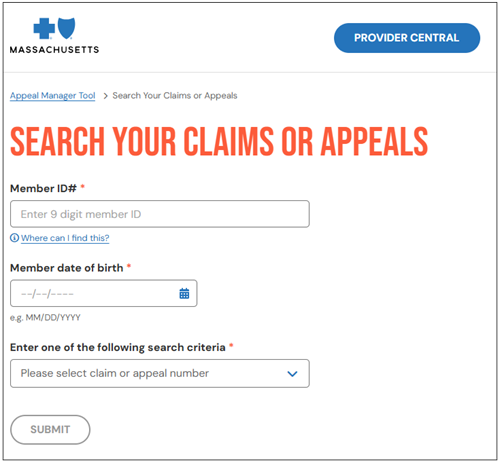
You’ll be able to search using member and claim information to:
- Check the status of an appeal submitted via Appeals Manager, mail, or fax
- Review the determination of a finalized appeal
- Submit appeals and upload documentation for eligible claims
Important things to know about Appeals Manager:
- You must submit supporting documentation with each appeal as you would if you were submitting via mail or fax.
- To upload supporting documentation, you must first submit your appeal. Then, go to your appeal and select Edit & upload while the appeal is still open (before a determination has been made).
- Each appeal will only correspond with one claim. If you need to appeal multiple claims (even if they're for the same member), you will need to submit separate appeals.
- For appeals that are finalized on or after April 1, 2026, you will be able to review and download the determination letter.
Resources
- Visit the Appeals Manager page for more tips, screenshots, and frequently asked questions.
- For additional help with Appeals Manager, call Provider Service at 1-800-882-2060.
MPC_101025-1U-2