Our easy-to-use Appeals Manager eTool helps participating providers submit and track administrative appeals for claims processed by Blue Cross Blue Shield of Massachusetts. With Appeals Manager, you can:
- Search by claim number or appeal case number
- Check the status of an appeal submitted by Appeals Manager, mail, or fax
- Request an administrative review (appeal) of an eligible claim*
- Upload one or two supporting documents
- Learn the determination of a finalized appeal and download a letter for your records
* First-level appeals must be submitted within 180 days of the date the claim was denied or processed. Providers may submit up to two appeals for the same claim. Second-level appeals must be submitted within 60 days of receipt of the first-level appeal determination.
To perform an inquiry in Appeals Manager, have the following ready:
- Member ID number
- Member’s date of birth
- Claim number or appeal number
Inside Appeals Manager, click Begin by searching for a claim or appeal.
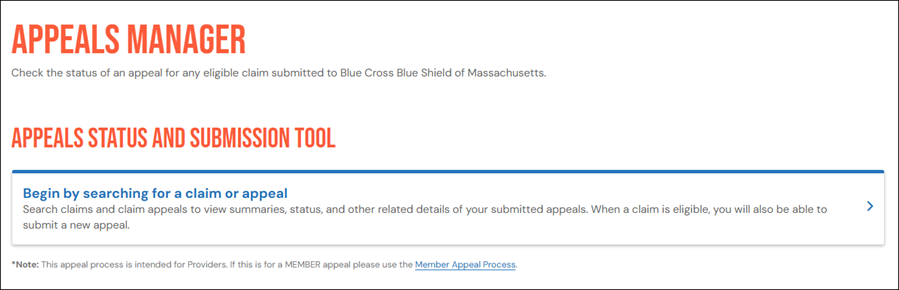
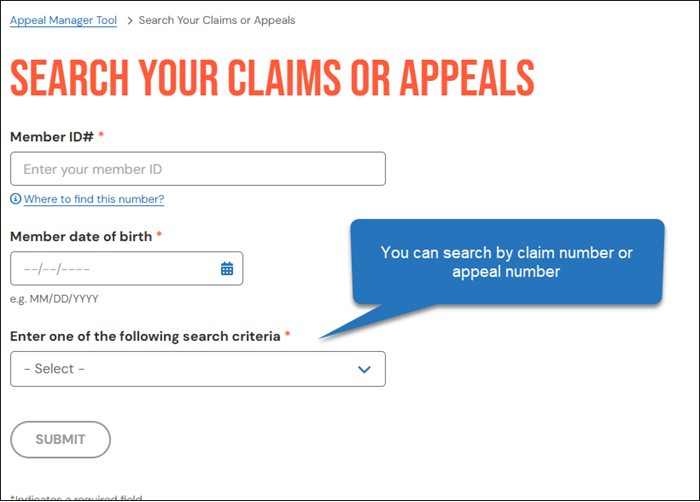
Enter the member ID number, date of birth, and either the claim number or the appeal number. If you search by appeal number, include the prefix “D.”
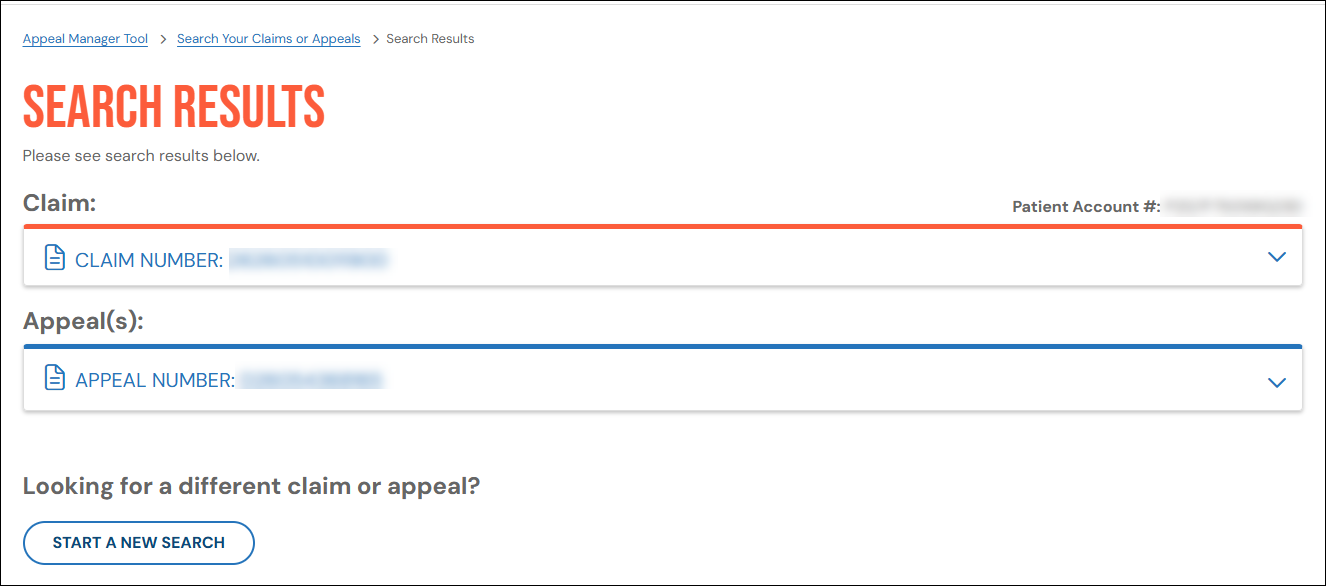
If results are found, your screen might look like the screen shown below. Click an item to view details.
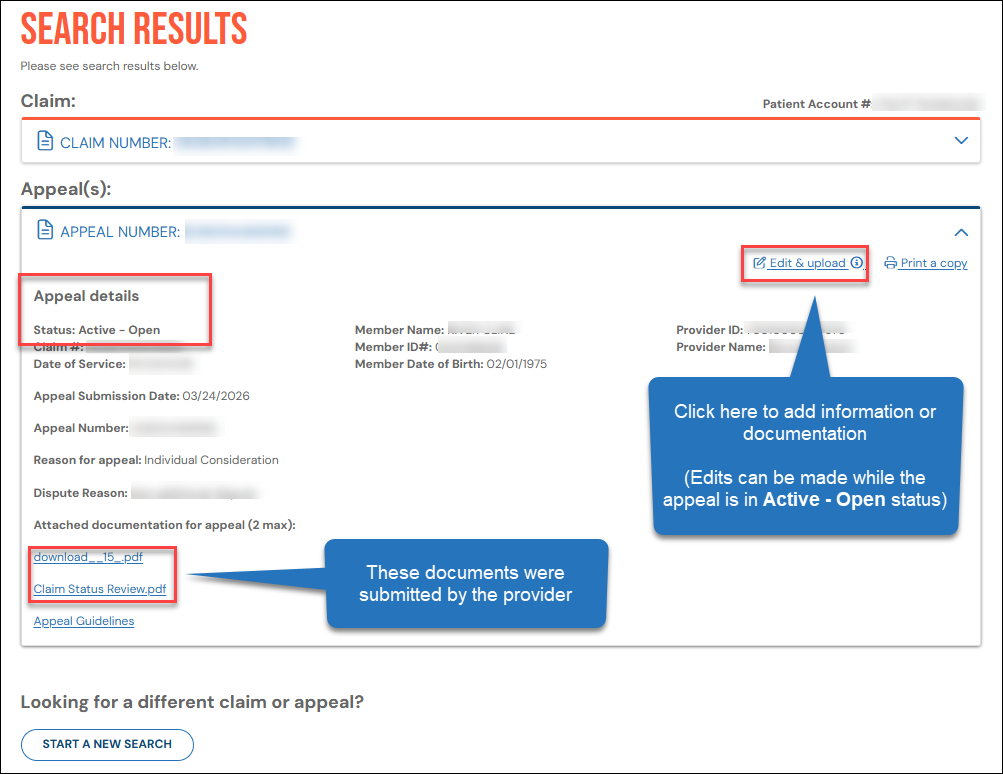
The appeal status appears directly under the heading, Appeal details.
Appeals with an "open" status will include an option to Edit & upload (supporting documentation).
In Appeals Manager, you can appeal a claim denial by following these steps:
- Create an appeal case number
- Attach documentation to the case
To begin, search for your claim and click the claim number to view details. If your claim is eligible to be appealed, you’ll see a Start an appeal button.
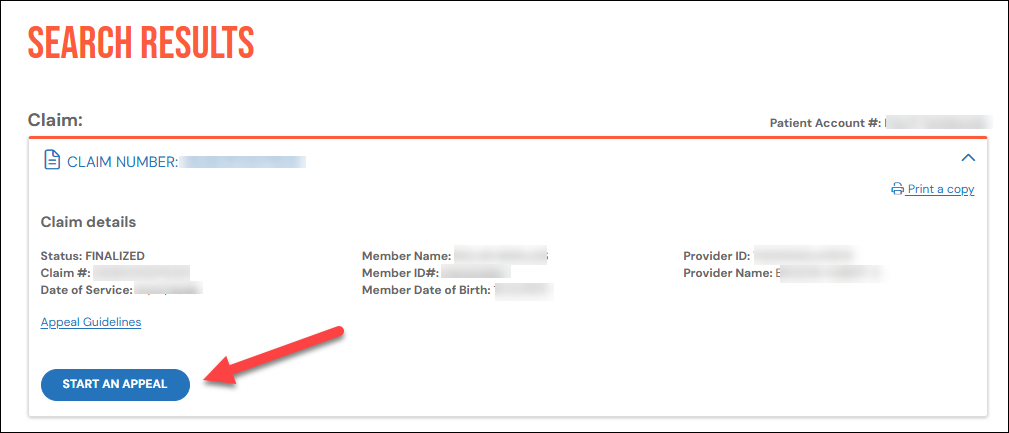
When you click Start an appeal, a short form will appear below the claim details.
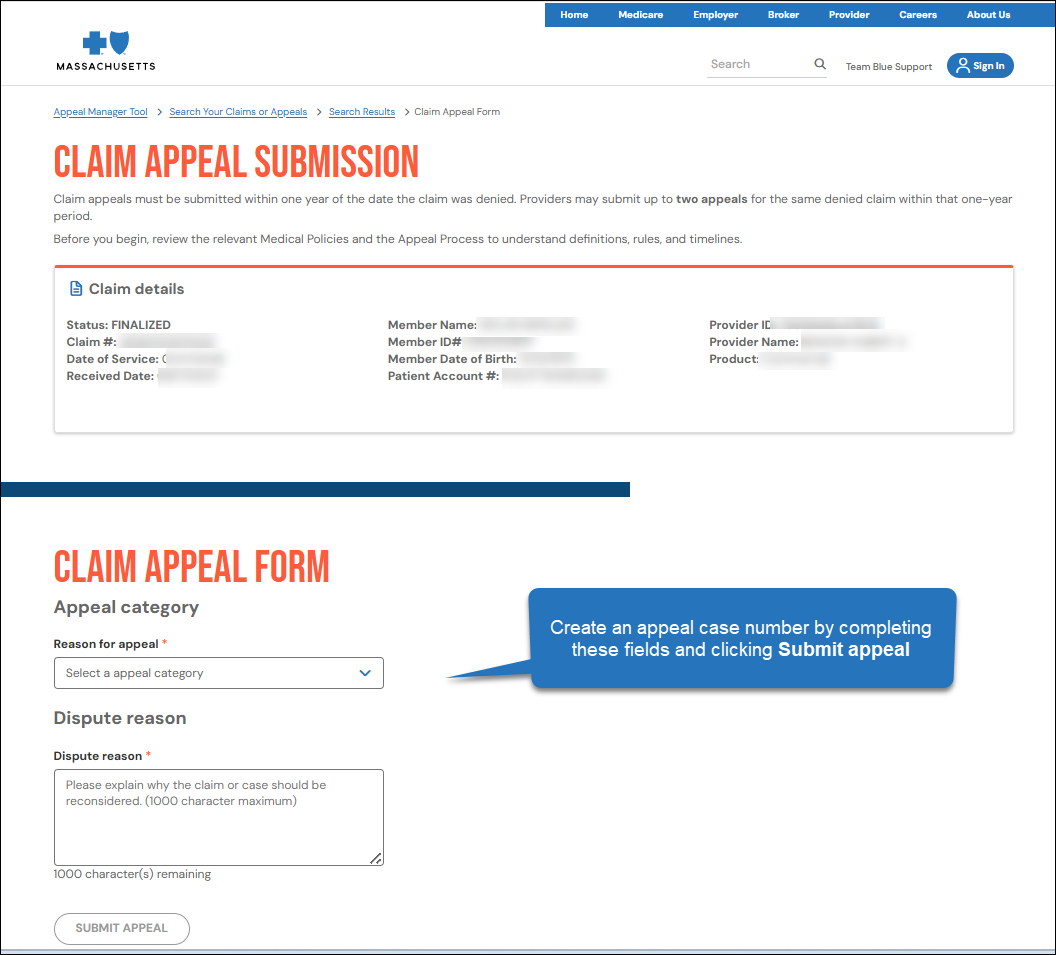
Choose an appeal category, enter a dispute reason, and click Submit appeal to create the case number.
To attach supporting documentation, edit the case you created. Click the appeal number to view the appeal details. When the appeal details appear, click Edit & upload.
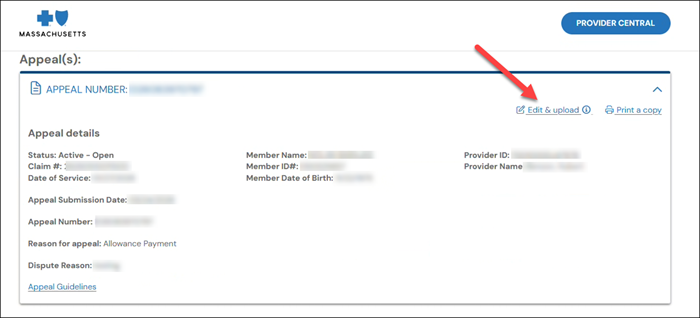
You will be prompted to upload a file and add a description or notes.
You can upload a maximum of two documents per appeal.
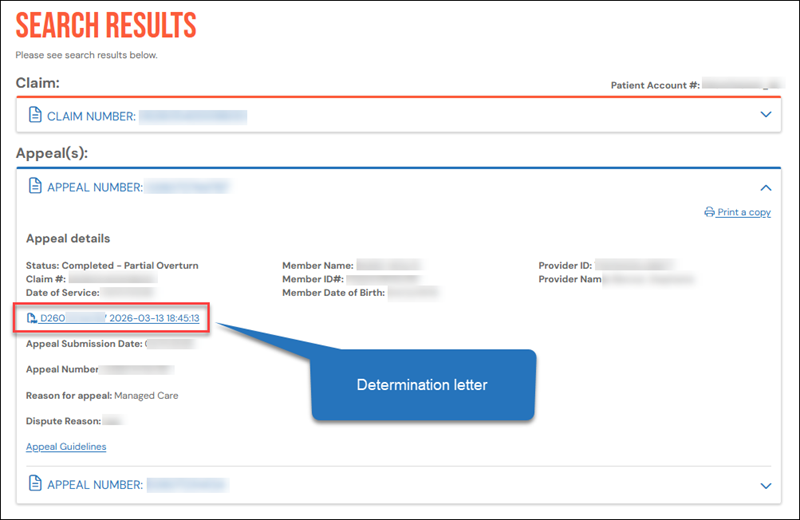
You can download determination letters for appeals finalized on or after April 1, 2026. Perform a search and click the appeal case number to view the appeal details. A link to the determination letter will appear under the row listing the date of service.
Q: Which providers can I review and submit appeals for?
A: You can review and submit appeals for any provider that is linked to your Provider Central account. If you are unable to check the status or submit for a certain provider, please confirm which providers are linked to your account.
Q: When entering the member ID, do I need to include the three-character prefix?
A: For Massachusetts members, do not include the three-character prefix. For out-of-state BlueCard members, you need to include the three-character prefix.
Q: I see that my appeal is currently under review. When will a determination be made?
A: We process appeals in the order we receive them. Once your appeal is reviewed, we’ll notify you of our decision by letter, fax, or an adjusted Explanation of Benefits.
Q: What do I do if I disagree with my appeal’s determination?
A: You have the right to submit a second appeal within 60 days from the determination date of the first appeal. Please note that you may only submit up to two appeals for the same denied claim.
Q: When should I submit a replacement claim instead of an appeal?
A: Please refer to our Replacement Claims page on Provider Central.
Q: I submitted an appeal via mail/fax for an out-of-state BlueCard member. Why can’t I find it on Appeals Manager?
A: You will only be able to find BlueCard appeals on Appeals Manager if they were submitted through the eTool.
Additionally, if your appeal included medical records, they may have been forwarded to the member’s out-of-state health plan. Please allow time for the review process. You will be notified of the decision through a letter or an updated Explanation of Benefits (EOB).
- To learn more about what is required for a claim to be eligible for review, read our Blue Book provider manual document, Reviews & Appeals. Log in and go to Office Resources>Policies & Guidelines>Provider Manuals.
- If we adjust your claim, you can learn more by downloading the related Provider Detail Advisory in Payspan.
- If you need additional help with Appeals Manager, call Provider Service at 1-800-882-2060.
- To learn more about what is required for a claim to be eligible for review, read our Blue Book provider manual document, Reviews & Appeals.
- If we adjust your claim, you can learn more by downloading the related Provider Detail Advisory in Payspan.
- If you need additional help with Appeals Manager, call Provider Service at 1-800-882-2060.